Our productNative macOS app
Lasso
Draw on your Mac screen. Make the point while it is still in front of you.
A screen annotation app for Mac. Draw over any app, capture marked-up screenshots and give people or AI agents precise visual feedback.
Visit Lasso for Mac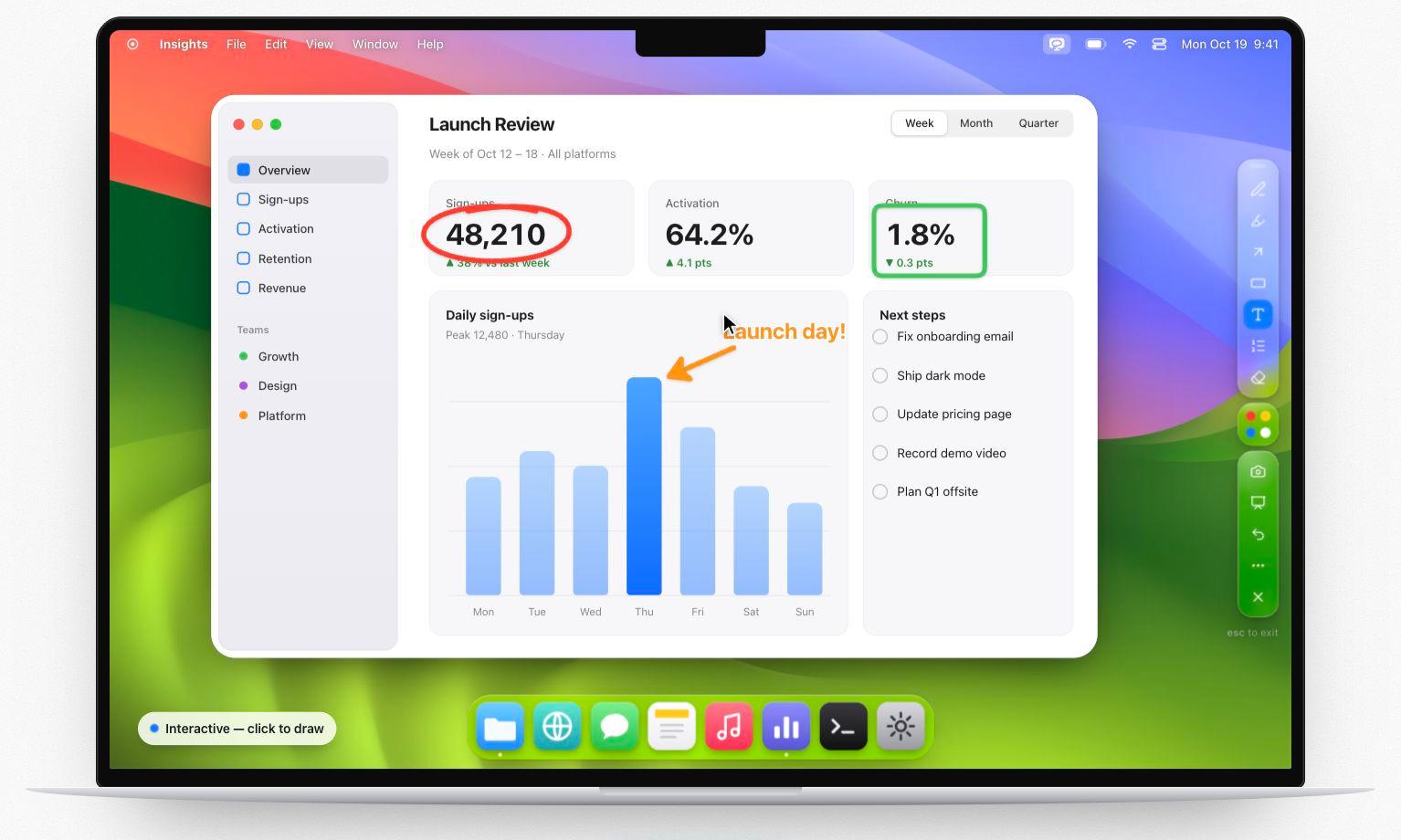
The work, the thinking and the value behind it.
Lasso is a screen annotation app for Mac that we build and maintain at Mazeg. It puts a temporary drawing canvas over your apps, so you can circle a detail, point with an arrow or highlight a line without moving your work into another tool.
We made Lasso for the moments when a cursor or a paragraph is not enough: design reviews, live demos, online lessons and visual instructions for AI agents. Draw on the screen, capture the explanation when you need to share it, then press Escape to return to your work.
Designers, developers, teachers and anyone explaining a screen to a colleague or AI agent
Native macOS app
- Live screen annotation
- Annotated screenshots
- Whiteboards and drawing pages
- Local MCP integration for AI agents
Screen annotation where the work happens
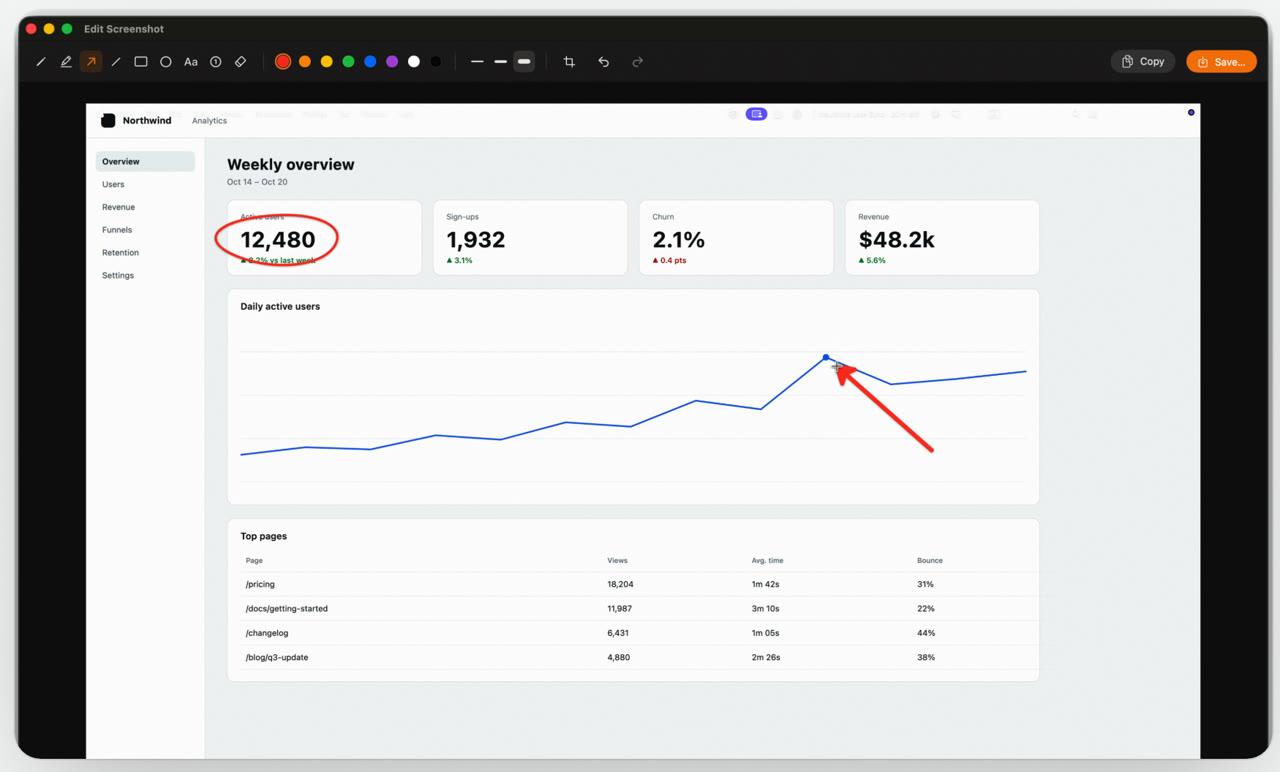
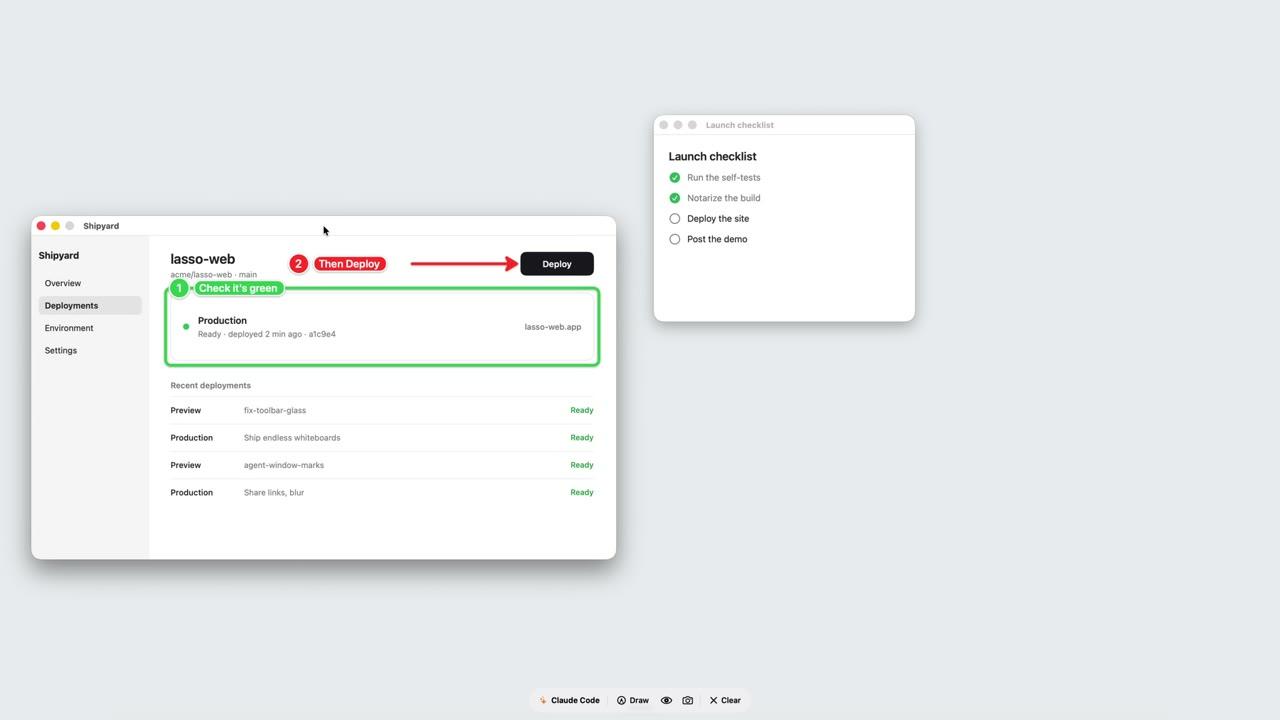
A global shortcut opens Lasso over the app you are using. Freehand drawing, arrows, highlights, text and numbered steps let you explain an interface, a document or a presentation in place. Escape clears the temporary overlay when the explanation is finished.
For teaching and presentations, separate drawing pages and whiteboards make room for a longer explanation. The marks sit on your screen, so they can appear in a screen share or recording.
Draw first, then capture the screenshot
Lasso captures the screen with your annotations already in place. Copy, drag or save the image for a design review, bug report or message, with the exact area of interest visible in the shot.
Visual context for AI agents
An annotated screenshot gives an AI assistant the same visual reference you would give a teammate. Lasso also offers a local Model Context Protocol (MCP) connection for tools such as Claude Code and Cursor, so supported agents can work with screen annotations in their workflow.
A native Mac app we keep improving
We develop Lasso as a native Swift app for macOS 14 Sonoma or later, on Apple silicon and Intel Macs. Product design, the Mac app and its website are part of the same ongoing product work at Mazeg.
What the work puts in place.
What Lasso helps you do
- Point to the exact part of a live screen during a demo or lesson
- Share visual feedback with annotations already in the screenshot
- Give AI agents a marked-up reference for an interface or task
Project surface
- Live screen annotation
- Annotated screenshots
- Whiteboards and drawing pages
- Local MCP integration for AI agents
Built with
- Swift
- macOS
- Model Context Protocol
Something here look like the problem you have?
Start a project