Our productNative macOS app
Replay
Record the meeting. Find the decision. Keep the context on your Mac.
A meeting recorder for Mac with no bot in the call. Record video and both sides of the conversation, then search transcripts and review notes on your Mac.
Visit Replay for Mac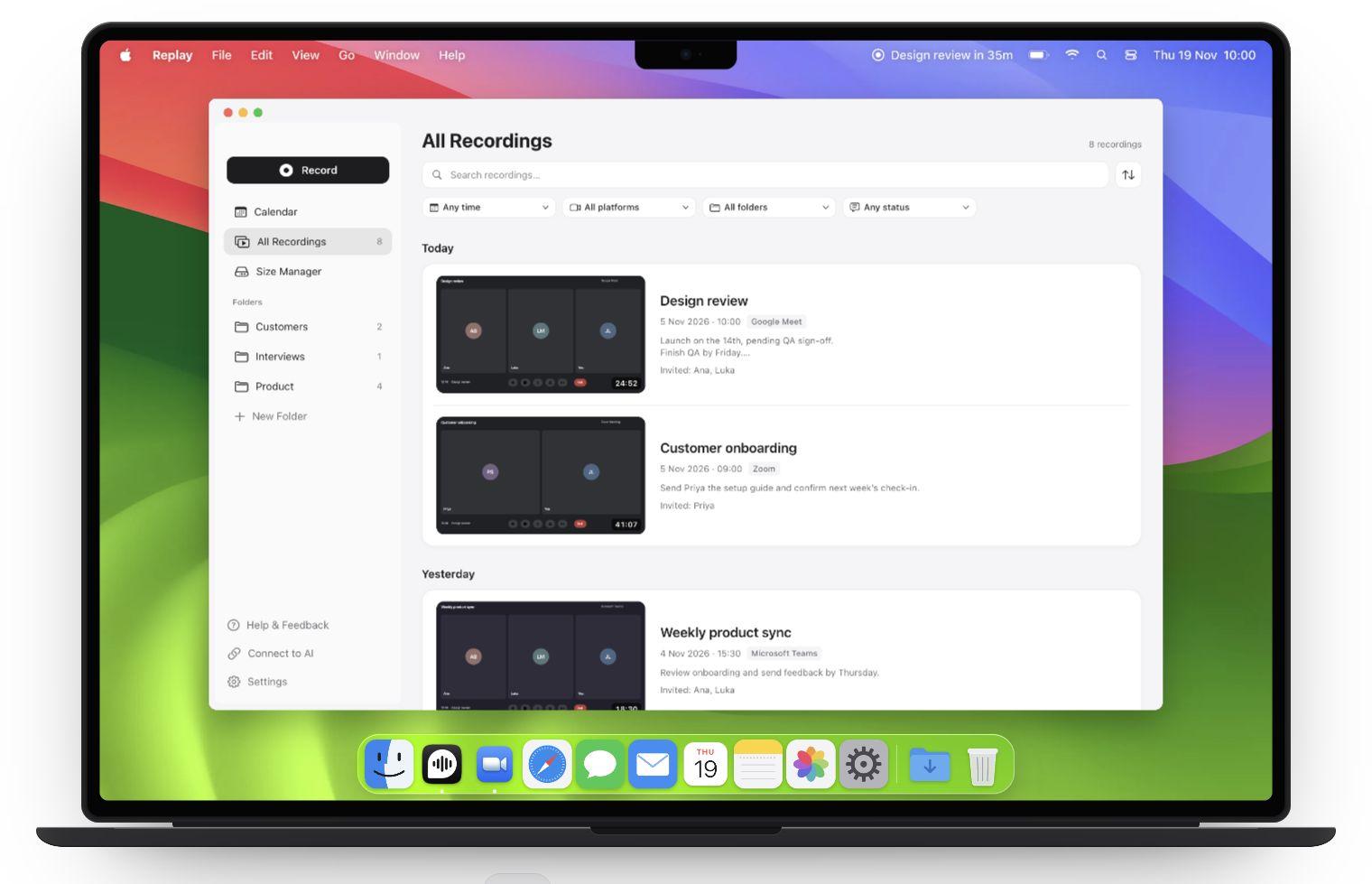
The work, the thinking and the value behind it.
Replay is a meeting recorder for Mac that we build and maintain at Mazeg. It records a call's video, meeting audio and microphone from the Mac itself, without adding a recording bot to the conversation.
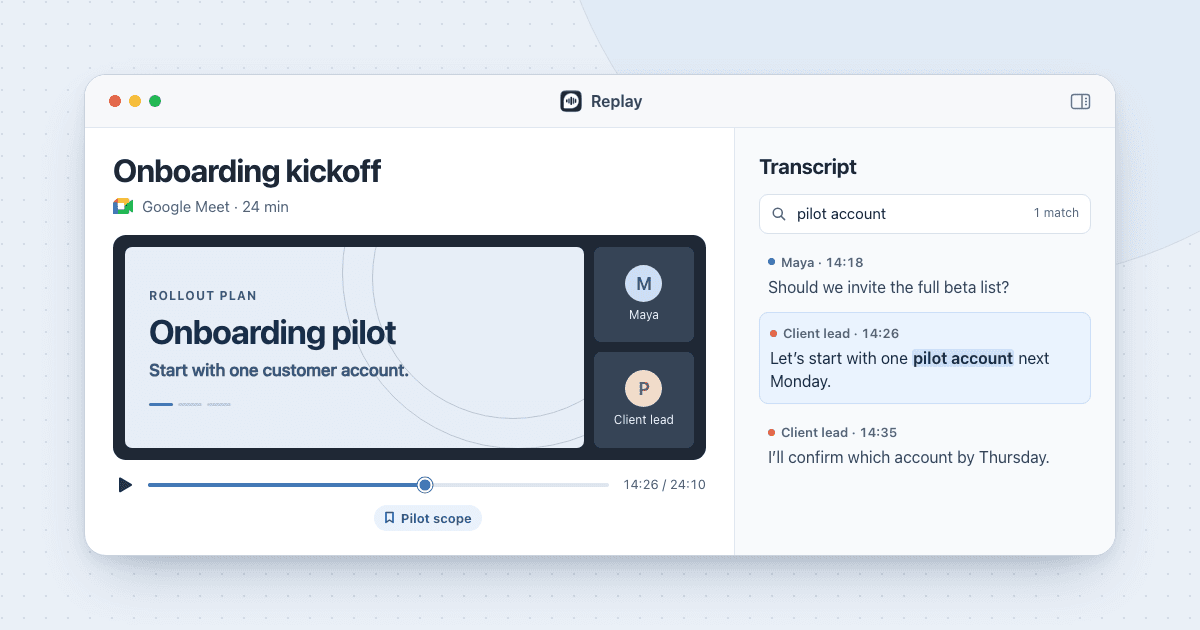
We made Replay for freelancers, agencies and small teams who need to revisit what was actually agreed. A searchable transcript sits alongside the recording, so a client requirement or decision can be checked against the original moment before the follow-up is sent.
Freelancers, agency teams, consultants and people reviewing client calls or customer interviews
Native macOS app
- Meeting video and audio recording
- On-device transcription and search
- Apple Intelligence meeting notes
- Local recording library
Meeting recording without a bot
Replay captures meetings from your Mac, including Google Meet, Zoom, Microsoft Teams and Slack huddles. Your microphone and the meeting audio are captured separately, preserving both sides of the conversation alongside the video.
A transcript you can check against the recording
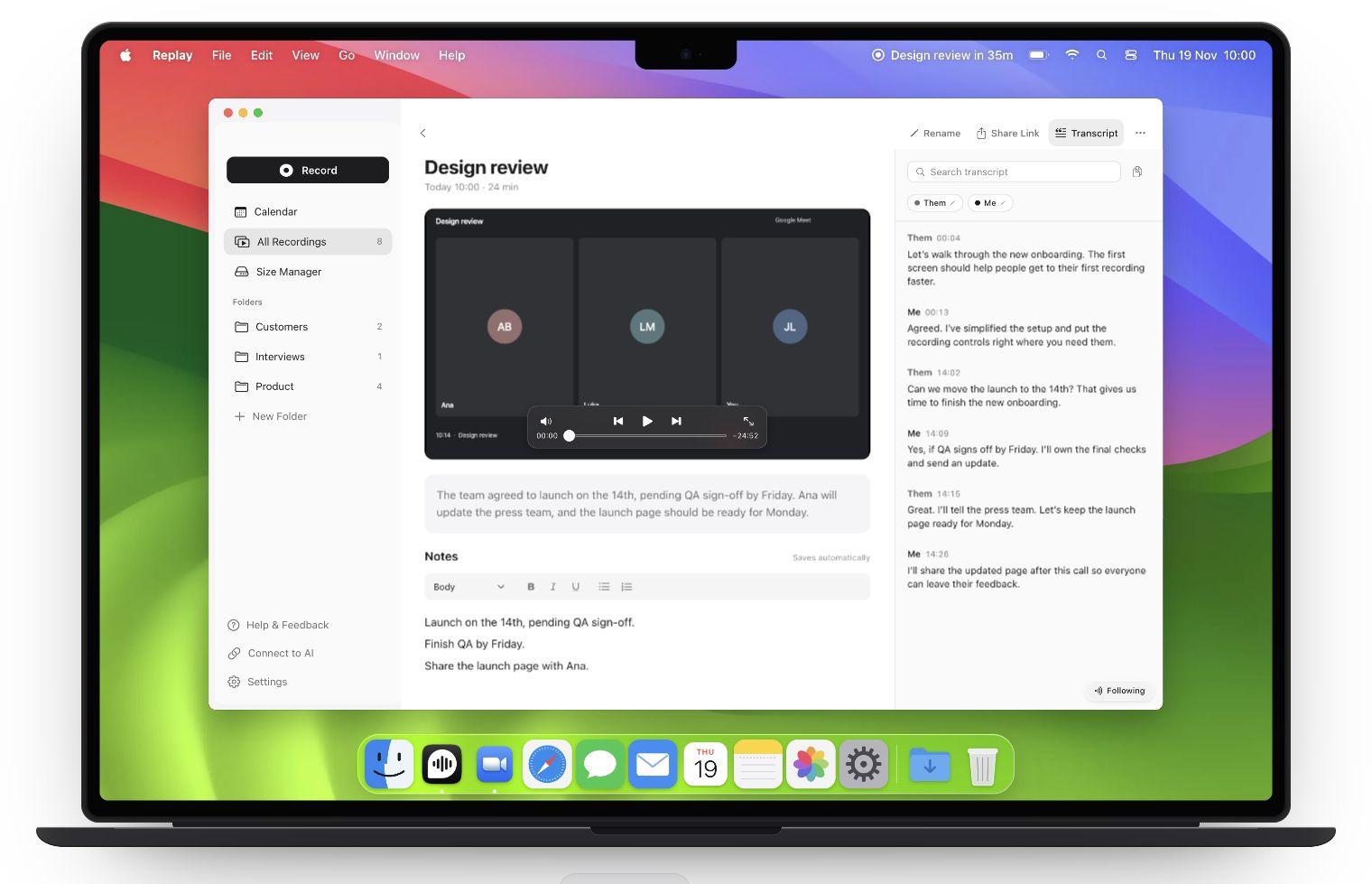
On-device transcription turns the conversation into searchable text. When you need to confirm a requirement, find a decision or revisit feedback, search for the words and return to the recording with the screen in view.
Apple Intelligence can draft editable summaries, decisions and to-dos from the transcript. Those notes give you a starting point for a recap that you can review against what was said.
Local by default, sharing by choice
Recordings, transcripts and generated notes stay on your Mac by default. Transcription, search and Apple Intelligence processing happen on the device. Optional video sharing uploads the recording you choose to share; connecting an external AI assistant is also an explicit choice.
Built for everyday client work
We design and develop Replay as a native Mac product, from the recording library to its website and meeting guides. It runs on Apple silicon Macs with macOS 26 or later; generated summaries require Apple Intelligence.
What the work puts in place.
What Replay helps you do
- Record meetings without adding another participant to the call
- Find a client requirement or decision in a searchable transcript
- Review editable meeting notes alongside the original recording
- Keep meeting files on your Mac unless you choose to share them
Project surface
- Meeting video and audio recording
- On-device transcription and search
- Apple Intelligence meeting notes
- Local recording library
Built with
- Swift
- macOS
- Apple Intelligence
Something here look like the problem you have?
Start a project